0:09
hi everyone anat Kesler here welcome
0:12
back to my channel and I have a new
0:14
video tutorial for you it is time for
0:16
another paper perk and we are at paper
0:19
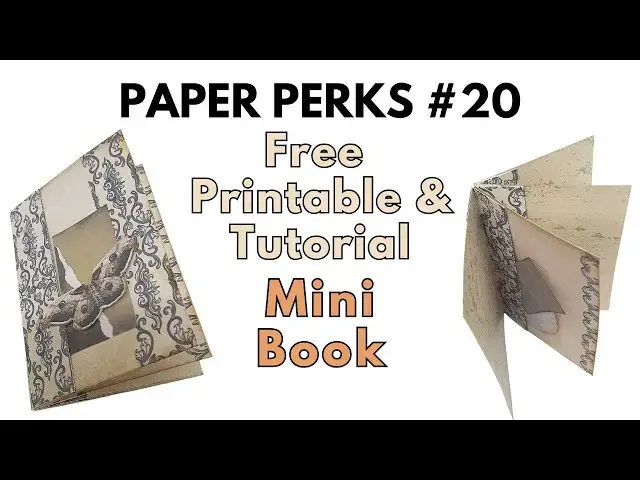
perk number 20 today I have made this
0:22
for you this is going to be a little
0:25
tuck book I'm going to cut everything
0:28
and be back to show you how to make
0:31
it okay so I have here the four
0:38
pages and then I have here my mechanism
0:42
to create the book I have printed one of
0:45
my background papers on the back also on
0:50
pages and we're now going to fold
0:56
it in a concertina shape
1:03
so we're just going to
1:05
fold I'm going to fold them all in the
1:08
same direction first so I'll be able to
1:12
better see and then I'm going to reverse
1:18
directions of the some of the
1:21
folds so this way I'm going to make sure
1:24
that everything is completely
1:28
straight and then it's easy to change
1:39
fold and this is going to be our little
1:42
tuck book and this tuck book is really
1:45
cute first of all you can add little
1:48
photos to it you can tuck little tags
1:50
and things underneath it can be a really
1:54
fun happy mail it can be an add-on to a
1:58
or an insert to a junk joural
2:01
to even a mini album a scrapbook
2:05
page can be really cool okay so now what
2:09
we're going to do is make an
2:13
accordion reverse the
2:17
directions Direction so this is what we
2:20
have so now we're going to attach each
2:24
triangles together so we're going to
2:27
flip this this is why I didn't care that
2:31
here there's a little bit of
2:36
white and we're just going to add
2:47
attach and then the next
2:55
one add glue so in this case it doesn't
3:01
have printed on the back but I did print
3:12
cards and you can get the backgrounds
3:15
paper there is a kit there in the Kofi
3:18
shop there is a link to Kofi in the
3:21
description under the video it only cost
3:25
$3 to get all the papers in the kit so
3:29
it's a really good opportunity and then
3:32
you have something to
3:35
print on the back or you can just print
3:38
it and use it as papers as
3:44
want okay so now what we have is
3:54
four tuck now we're going to bring the
3:57
paper it doesn't really matter
4:04
order and then we're going to attach
4:10
this if you want to make the tuck here
4:14
then you only apply glue to the top and
4:16
the bottom if you don't want it to be
4:27
everywhere so what I'm going to do is
4:32
one so I want them all to be Pockets so
4:35
I'm just going to add a little bit of
4:37
glue on the top on the
4:42
bottom and then this is going to face
4:55
this now we can add the second page
5:16
bottom and I can play with a direction
5:19
for example I can put this one like
5:23
this so not all the book will be the
5:28
same and we can play with the direction
5:31
because we still have something printed
5:42
side and this can be the
5:47
cover on the outside so I'm going to
5:51
leave the Pretty Paper to be on the
6:07
so now we have our little tuck
6:10
book and we can embellish it any way
6:19
embellish I have this one we
6:25
can attach it or tuck it under I think
6:32
it cuz it's like how it
6:40
so going to attach it here here you can
6:45
photo or you can tuck under something
6:53
and can keep on tucking
6:57
things and little photos or other
7:01
things so here is our tuck
7:06
book some of the things can be tucked
7:09
some of the things can be glued down you
7:13
can add photos on this side you can tuck
7:15
the photos in the little pockets or
7:18
embellishments it's going to be a really
7:21
mail you can use this as is or you can
7:25
even tuck this these are the pockets
7:27
that we did last time so for example you
7:41
spots you can even glue the last page
7:50
to and then it becomes sort of a little
7:54
mini book inside your junk Journal so
7:57
many ways to use this
8:02
going to open the camera a little bit
8:05
sorry so again tuck this add
8:13
Journal can even be on the cover matches
8:17
really well so many ways to use this
8:20
please don't forget to subscribe to my
8:22
channel and click on the little bell
8:23
icon to be notified when I upload a new
8:26
video so you won't miss any of the
8:29
tutorials and you'll be able to make all
8:31
the projects go to the link in the
8:33
description under the video to join the
8:36
paper perks Facebook group and download
8:39
all the freebies there and go to Kofi
8:43
and become a supporter get
8:50
papers that I've used here this is one
8:55
them and so there's a link in the
8:58
description under the video for that as
9:00
well so thank you very much for joining
9:05
close thank you very much for joining me
9:08
and I will see you next time